Impressum
TimeHelp-Software 1.6
FREE DOWNLOAD
Personal part
(click here for congregation part - Yahrzeit program)
Time orientation for elderly people and people suffering from dementia without any computer skills in their daily routine
Deutsche Version
Features
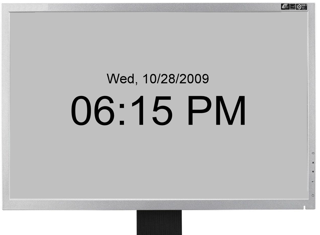
- Individually customizable (font size and color) display of the current date and time
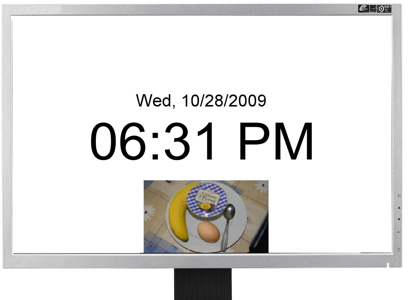
- Events can be automatically notified as background image (e.g. photos) and individually created sound file, i.e. 10 minutes before breakfast a self-made background image with a breakfast table appears and a sound file created by a close person is played, e.g. "Breakfast soon"
- Displaying Jewish events possible, e.g. holidays and shabbat times
- The background image appears till the event, e.g. till breakfast
- The sound file is played automatically once and can be played again e.g. by touching a touch screen
- The sound file can be e.g. recorded with a microphone and the windows sound recorder, which is contained in the operating system by default
- Automatic shutdown of the PC at a certain time
- Events can be defined for a certain time on a certain date, a certain weekday or everyday
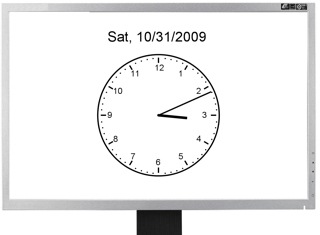
- Digital clock or analog clock with clock face and hand
- Individually adapting the user interface of the program for other languages, also non-Western-European like Hebrew or Arabic, is possible
- English and German are already integrated
System requirements
- Windows 10
- 16:9 landscape screen resolution of at least 1920x1080
- Touchscreen optional
Download
The software can be downloaded free of charge at
here.
In order to install it, the downloaded program has to be
started, and then the instructions have to be followed.
License agreement
This program is protected by copyright laws and may be
copied and used free of charge.
The author is not liable for consequential, incidential or
indirect damages of any kind which arise out of the use
of the software.
Copyright © by David Greve 2009-2011
Copyright © by Ulrich Greve 2011-2018
E-Mail: shem@tichnut.de